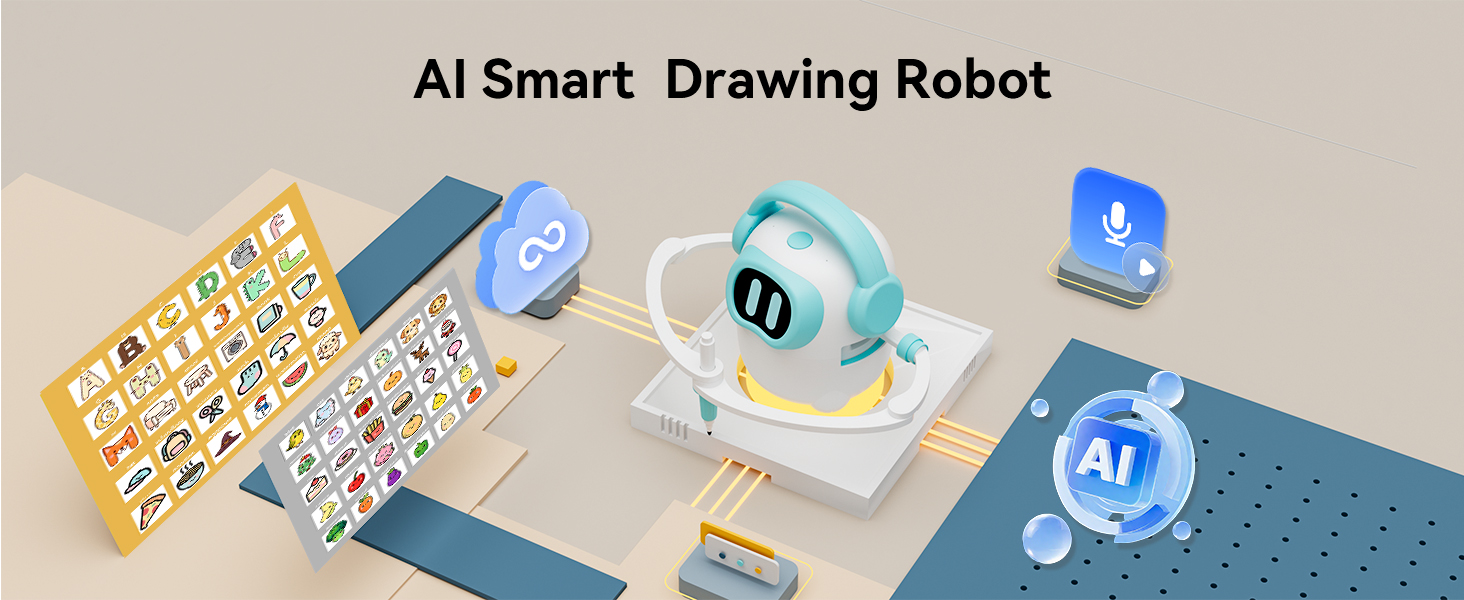
Voice-activated AI drawing robots are a new category of kids' toy. A child says what they want to draw — "a friendly dragon," "a cat in sneakers," "a dinosaur eating a pizza" — and the robot turns that sentence into a real drawing on paper. This guide explains, in plain English, what these toys are, how they work under the hood, and what to look for when comparing models.
What is an AI drawing robot?
An AI drawing robot is a small desktop device that combines three things a child is already familiar with:
- A voice assistant, so the child can say what to draw.
- An image library — either pre-loaded or generated on demand by AI.
- A mechanical pen head, so the final drawing comes out on paper.
Older drawing robots were card-based: a child inserted a pattern card, and the robot drew only what was on that card. The AI generation is the new part. It lets the library expand well beyond a fixed set of patterns into a curated, regularly-updated AI image library in modern products like the iBeed AI Drawing Robot.
How voice becomes a drawing, in three steps
Under the hood, an AI drawing robot turns a spoken request into a physical drawing through a three-stage pipeline. Here is what happens each time a child speaks:
Step 1 — Listen
The robot is usually dormant until it hears a wake word. On iBeed, that wake word is "Hi, Joy." Once the wake word is detected, a short audio sample is converted to text by a speech-to-text model — either on-device or in the cloud. Kid-specific models matter here: toddler speech is famously hard for adult speech recognition, so products designed for ages 3-8 use models trained on children's voices.
Step 2 — Plan
The text is sent to an AI model that chooses or generates an image. There are two common approaches:
- Library lookup: the robot searches its curated library of pre-generated images for the closest match.
- On-demand generation: the AI generates a fresh image and converts it into a drawable vector plan (an ordered list of pen strokes).
Either way, a safety check runs before anything reaches the pen: the image must be age-appropriate and drawable by the pen head's physical limits. The output of this stage is a deterministic plan — something like subject: dragon.friendly, style: outline-2-tone, strokes: 142, est: 2m 14s.
Step 3 — Draw
A pair of precise stepper motors moves a marker (or swaps between up to 16 colored pens, as on iBeed) across a sheet of paper. The child watches the drawing appear stroke by stroke. Because the output is physical, the experience is more like watching a slow-motion magic trick than using a tablet — and the screen-time footprint is close to zero.
What parents should actually look for
When you're comparing AI drawing robots for a kid ages 3-8, six things matter more than the marketing copy:
1. Library size and refresh policy
A fixed library runs out of novelty fast. Look for products with cloud-updated libraries — iBeed, for example, refreshes its curated AI image library without extra cost. Beware of robots that monetize by selling expansion card packs.
2. Offline mode
Kids play in cars, on planes, and at grandma's house. A solid AI drawing robot should work offline using a pre-loaded library, even if new AI generation requires WiFi. This is also the foundation of privacy: if the robot works offline, you can disconnect it any time.
3. Privacy controls
Any toy with a microphone deserves scrutiny. The two controls you actually need are: (a) a hardware mic toggle that physically stops the microphone from listening, and (b) a one-tap offline switch so the device can't send anything upstream. Soft toggles in an app are not enough. iBeed provides both.
4. Physical vs. screen output
A robot that draws on paper has very different screen-time implications than a tablet. If limiting screen exposure matters to you, insist on physical output. You'll also get drawings you can actually put on the fridge.
5. Pens included and compatibility
Check what's in the box on day one. Products worth buying ship with a full set of pens (iBeed includes 16) plus a reusable board, so the robot is usable the moment it arrives. Also check whether existing classic cards still work — iBeed supports both cards and the cloud library side by side.
6. Age appropriateness
"Ages 3-8" is a wide range. Lower ages benefit from Parental Mode with limited prompts; older kids grow into freeform prompt engineering, which is genuinely useful practice for the AI-mediated world they'll work in. Pick a robot with both modes.
AI drawing robots vs other toys
One quick way to frame the category:
- Card-based drawing robots are simpler and cheaper, but the library is fixed and kids outgrow them fast.
- Drawing tablets are great for freehand art, but there's no AI guidance, no voice input, and output stays on a screen.
- AI drawing robots combine voice input, a generative or massive library, and physical output. Right now they're the most versatile option for ages 3-8.
For a side-by-side comparison across all three categories, see the feature comparison table in our buying guide.
Teaching kids prompt engineering, accidentally
An unexpected upside of voice-first AI toys: kids learn to prompt. When a four-year-old's first attempt produces a vague result and they try "no, draw a red dragon flying," they've just done iterative prompting. It's a foundational skill for the next decade — and they're learning it through play, not a tutorial.
Frequently asked questions
Is the microphone always on?
On a well-designed AI drawing robot, the microphone listens only for a wake word and is otherwise not recording to the cloud. iBeed additionally provides a hardware-level mic toggle and a one-tap offline mode, so the device can be made inert with one press.
Do AI drawing robots need a subscription?
They shouldn't. A good product includes cloud library updates for free. Before you buy, check the brand's stance — iBeed's cloud AI image library and all future updates are included with the device.
What age is an AI drawing robot best for?
Ages 3 to 8 is the sweet spot. At 3, the robot's Parental Mode scaffolds guided play; by 8, kids are freely inventing prompts. Older children may prefer drawing tablets or creative coding platforms.
Can one robot be shared between siblings?
Yes. A single robot can serve multiple kids — the companion app can manage several devices at once, and the image library is the same for every user.
Keep reading
If this explainer was useful, the natural next reads are:
- Best AI Drawing Toys for Kids 2026: A Parent's Buying Guide — a side-by-side feature comparison across the three categories, with pricing guidance and a 7-question FAQ.
- Teach Your Kid Prompt Engineering With Play — five low-effort language games that teach 3–8 year-olds how to describe things to AI, with no coding involved.